
1. Spot the pattern.
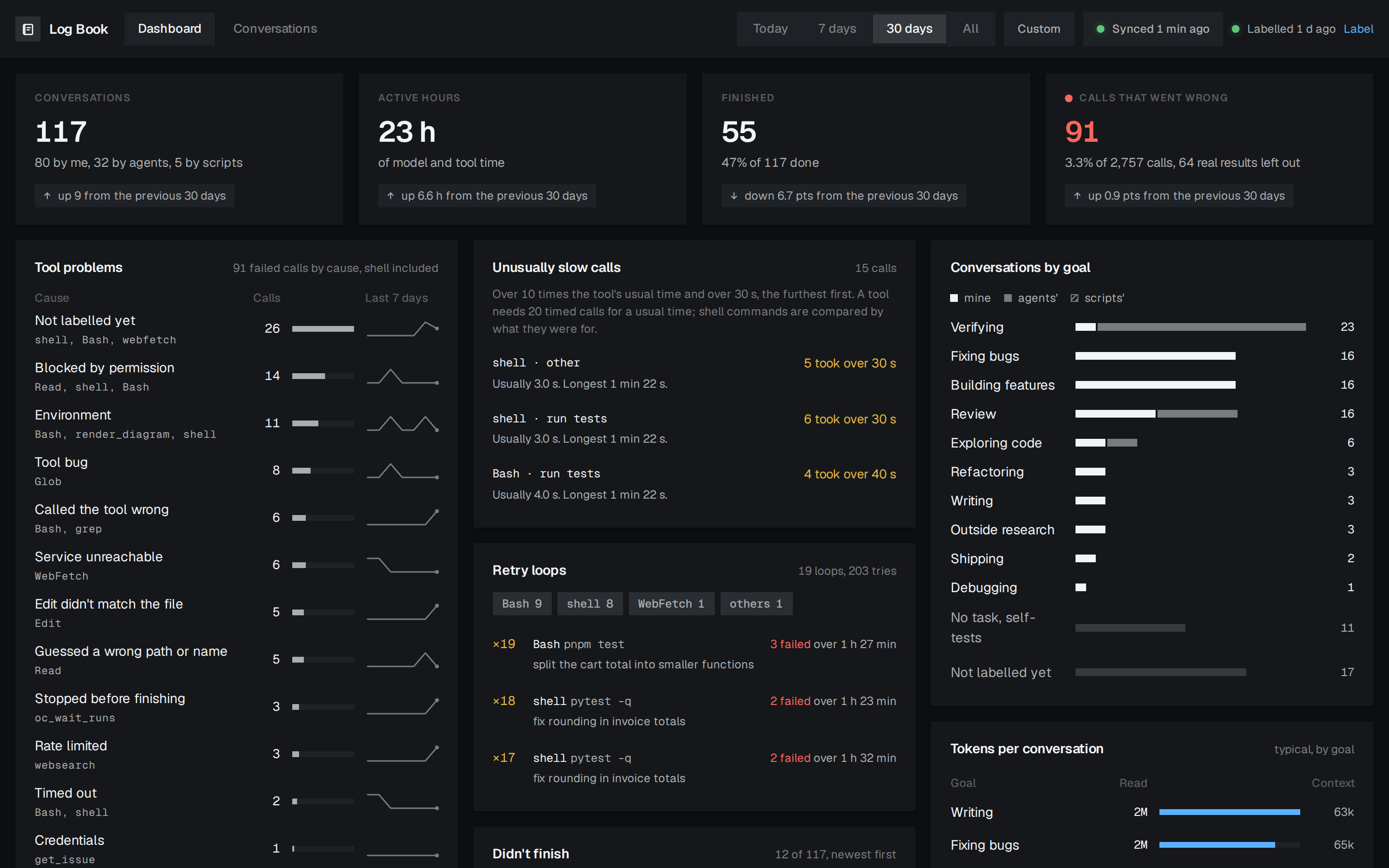
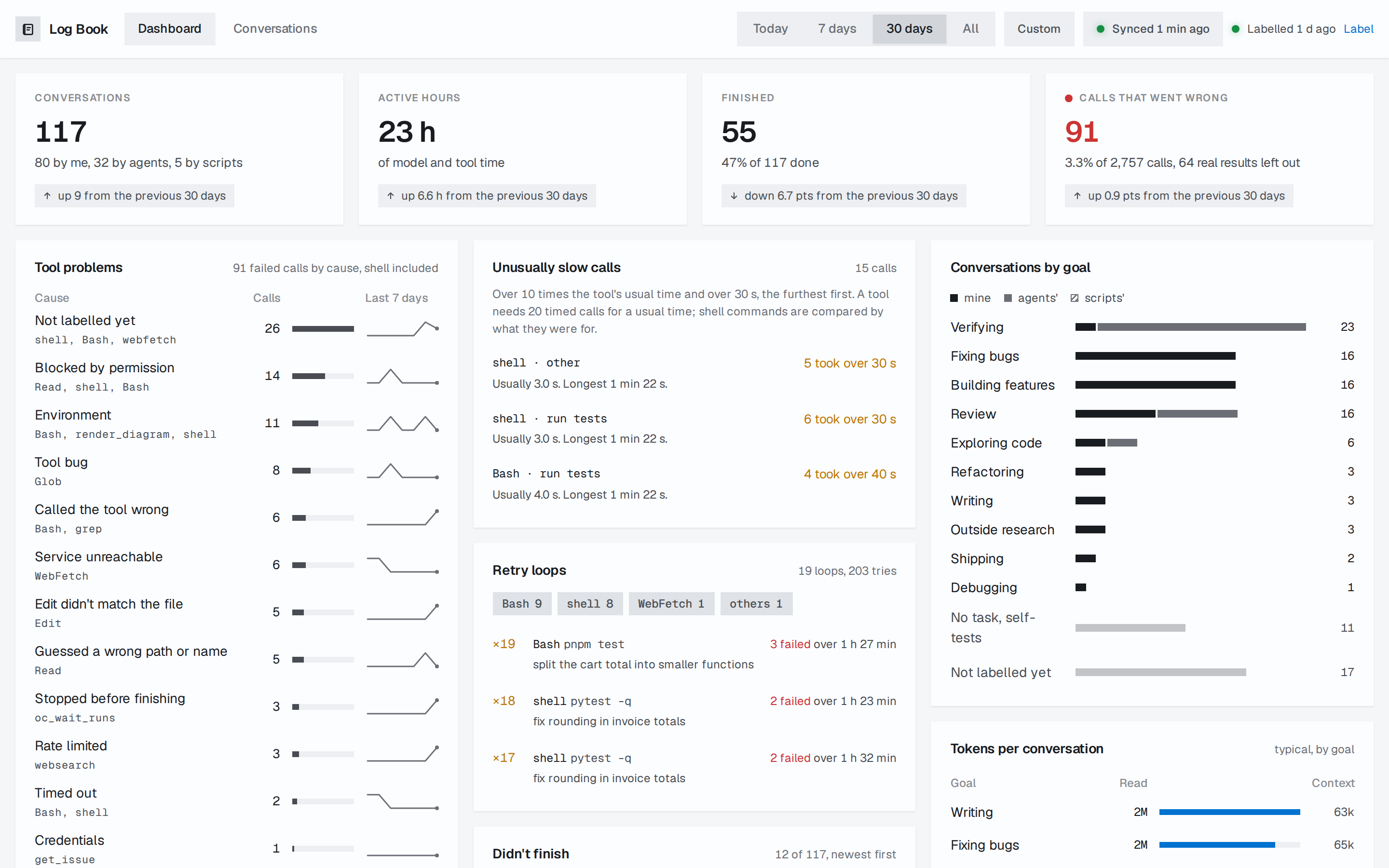
Failed calls, retry loops, slow turns and unfinished conversations, across Claude Code and OpenCode, week by week.
The dashboard
Log Book reads the sessions Claude Code and OpenCode already keep on your machine, and shows them on a page your own computer serves.
npm install -g @log-book/cli
logbook
logbook opens http://127.0.0.1:7314 in your browser. The first sync reads your whole history, about half a minute per thousand sessions, and Log Book syncs again every five minutes while it runs. To try it without installing anything, run npx @log-book/cli.
Before you install
127.0.0.1, and your history is copied into a SQLite file in your home directory.Without any model, Log Book shows every conversation, failed tool calls by cause, retry loops, slow calls, turn timing and token use.
Model labels add what each conversation was for, how it ended, and how you and the agent reacted to each other. You start them yourself, preview what they would send, and choose the Claude model; they count against your Claude plan.
Everything the page shows is also a logbook command, so you, a script or your coding agent can ask it directly:
logbook search '"connection refused"'   # prompts, replies, reasoning and tool output that hold it
logbook report failures                 # what kept failing, by tool and by cause
logbook sql "SELECT COUNT(*) FROM session"   # read-only SQL over your history
Ask Claude Code "what kept failing last week?" and it can run these and answer from your history. logbook sql --help describes every table, so an agent can write its own queries. CLI recipes
The page and the warehouse run on your computer, and syncing never uses the network. There is no account, no server of its own, no telemetry and no update check, and the page loads nothing from the internet.
The one exception is model labelling, and only when you start it: it runs your own Claude Code on the model you choose, and sends unredacted excerpts of your sessions to Anthropic, or to the provider your Claude Code uses, under your own login. Privacy and security